Tips for the Best Result
The best results come from clear, well-lit photos. Review the examples below before uploading.
Example Photos
✓ Works Best
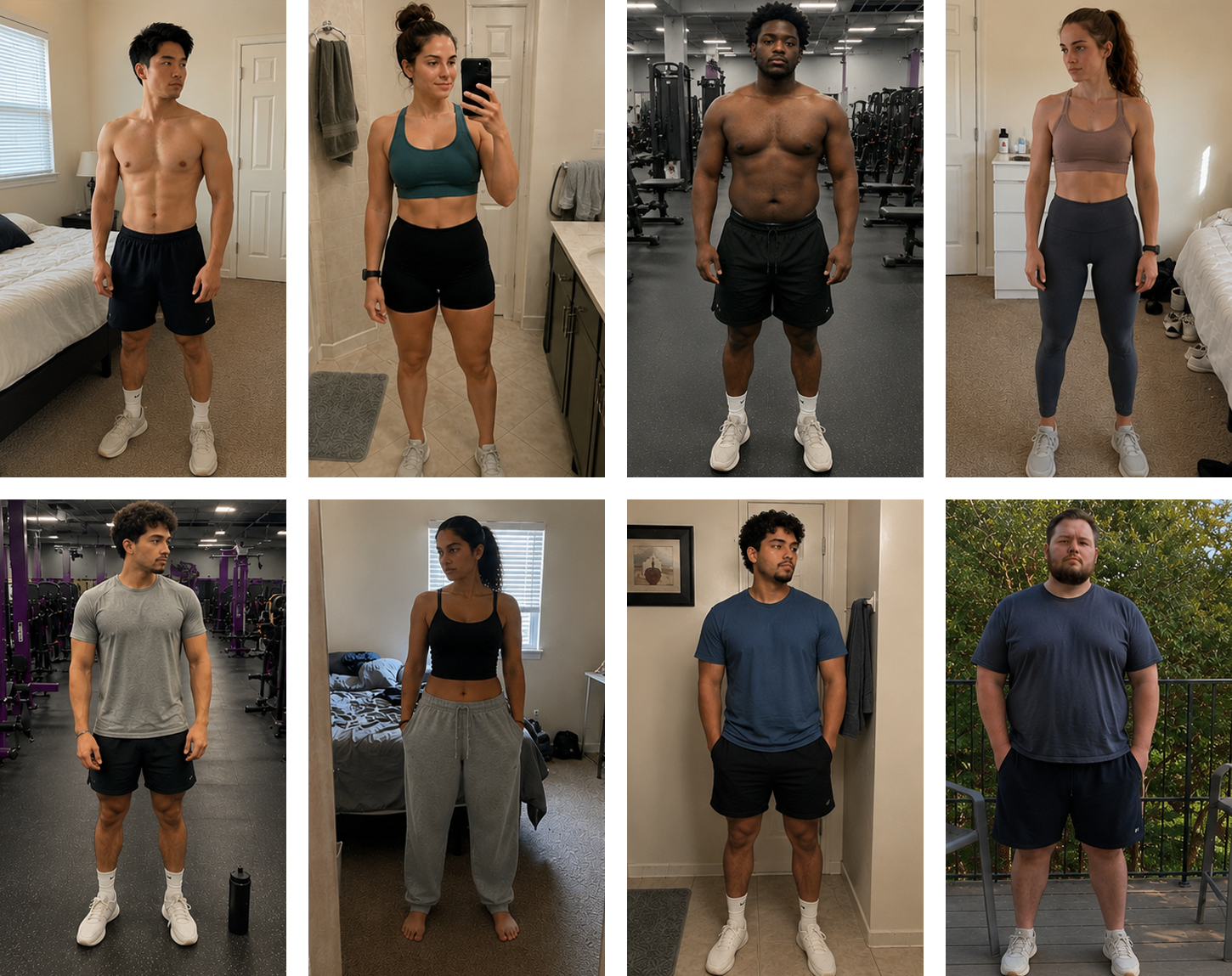
- • Front-facing upper body
- • Good lighting
- • Fitted shirt, athletic wear, or sports bra
- • Shoulders and torso clearly visible
- • Simple background with minimal distractions
✕ May Not Work Well
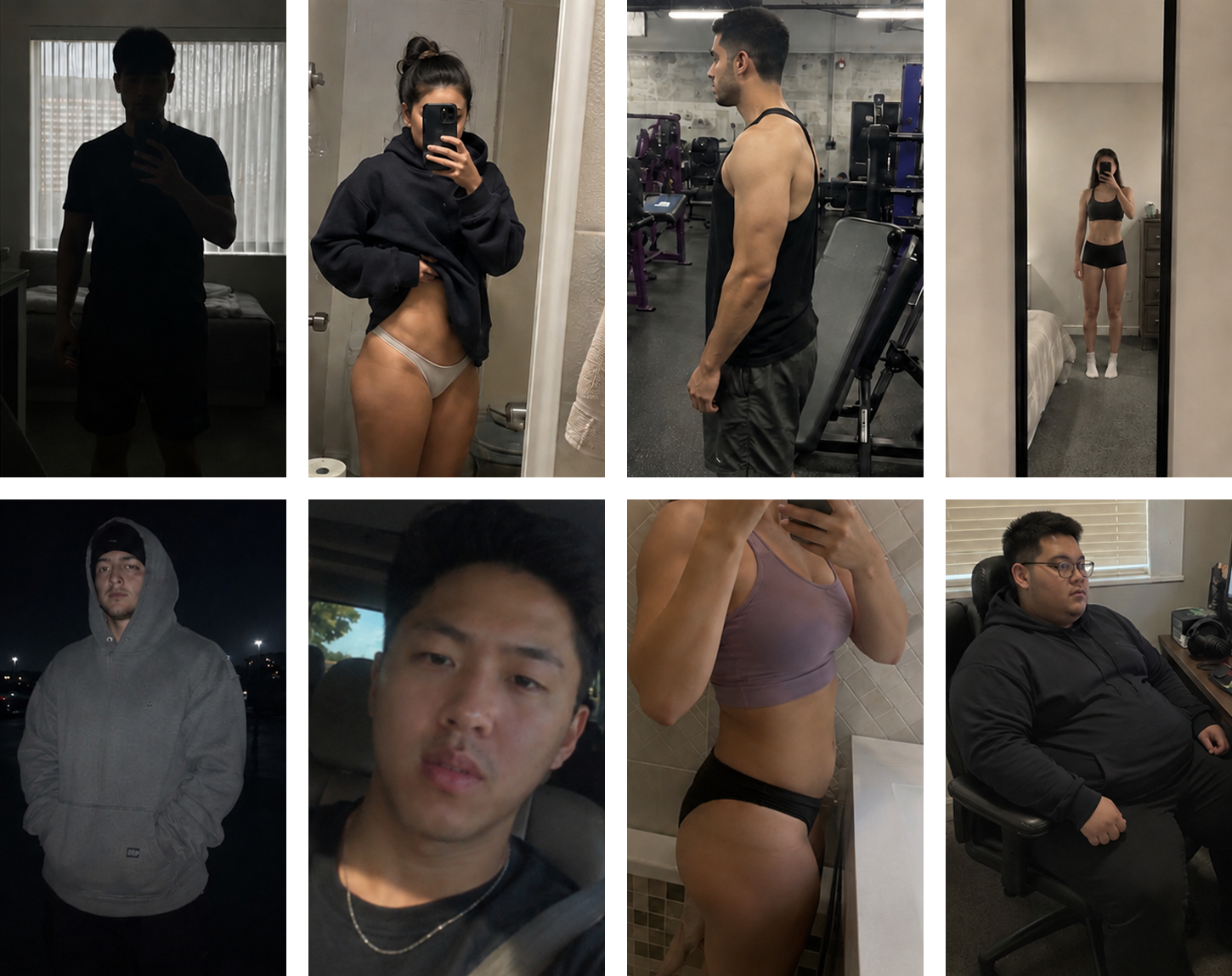
- • Very dark photos
- • Heavy layering or baggy clothing
- • Side profiles
- • Extreme crops or distant full-body shots
- • Underwear, bikini bottoms, or highly revealing images
See the detailed guidance below for additional tips and image guidelines.
1. Use a front-facing photo
Front-facing upper body photos produce the most realistic and consistent results. Slight angles are okay, but avoid side profiles or heavily rotated poses.
2. Good lighting matters
Natural lighting or evenly lit indoor photos work best. Dark, blurry, or heavily shadowed photos may create distorted generations.
3. Keep your upper body visible
Try to keep your shoulders, chest, and torso clearly visible in the crop. Extremely zoomed-in selfies or full-body long-distance photos may reduce quality.
4. Fitted clothing works best
Fitted shirts, athletic wear, and sports bras generally produce the most accurate transformations. Baggy clothing, hoodies, oversized jackets, and heavy layering can reduce quality.
5. Image Guidelines
You must be 18 or older to use GlownUp. Nudity is not permitted. Shirtless photos and sports bras are allowed, but underwear, bikini bottoms, and other highly revealing images may be moderated and rejected by AI safety systems. Some images may not be supported due to image quality or AI safety systems.
6. AI generations are not perfect
GlownUp creates AI-simulated body transformations for entertainment and visualization purposes. Results may contain visual inconsistencies and should not be considered a prediction or guarantee of future appearance.